How to See Unsent Messages on Instagram (What You Can & Can’t Recover)
Have you ever wondered what happens to messages that were never sent on Instagram? You’re not alone. Many users are curious about how to see unsent messages on Instagram and whether it’s actually possible to recover them. In this article, we explain what unsent messages are, how Instagram handles them, and what you realistically can or can’t access. This guide focuses on clear facts, not misleading promises.
Quick Answer: Can You See Unsent Messages on Instagram?
In short, there is no official way to see or recover unsent messages on Instagram. Once a message is unsent, it is removed from the conversation and cannot be viewed again through the app. In some cases, message previews may briefly appear in notifications, but this is not a reliable or permanent recovery method.
Understanding Instagram Messaging and Unsent Messages
Instagram’s direct messaging system allows users to send text messages, photos, videos, and reactions in private conversations. However, once a message is unsent, it is removed from the chat entirely. This leads many users to search for how to see unsent messages on instagram or ways to view unsent messages on Instagram. In most cases, unsent messages are not stored in a way that users can later access.
If you’re also exploring ways to increase story visibility, you can check out free Instagram story views to better understand how story engagement works on Instagram.
What Are Unsent Messages on Instagram?
Unsent messages are messages that were either typed but never sent or messages that were sent and later removed using Instagram’s unsend feature. Users often attempt to check unsent messages on Instagram after removing something by mistake. Unfortunately, Instagram does not provide a drafts folder or message history for unsent content.
Unsent Messages vs Deleted Messages on Instagram
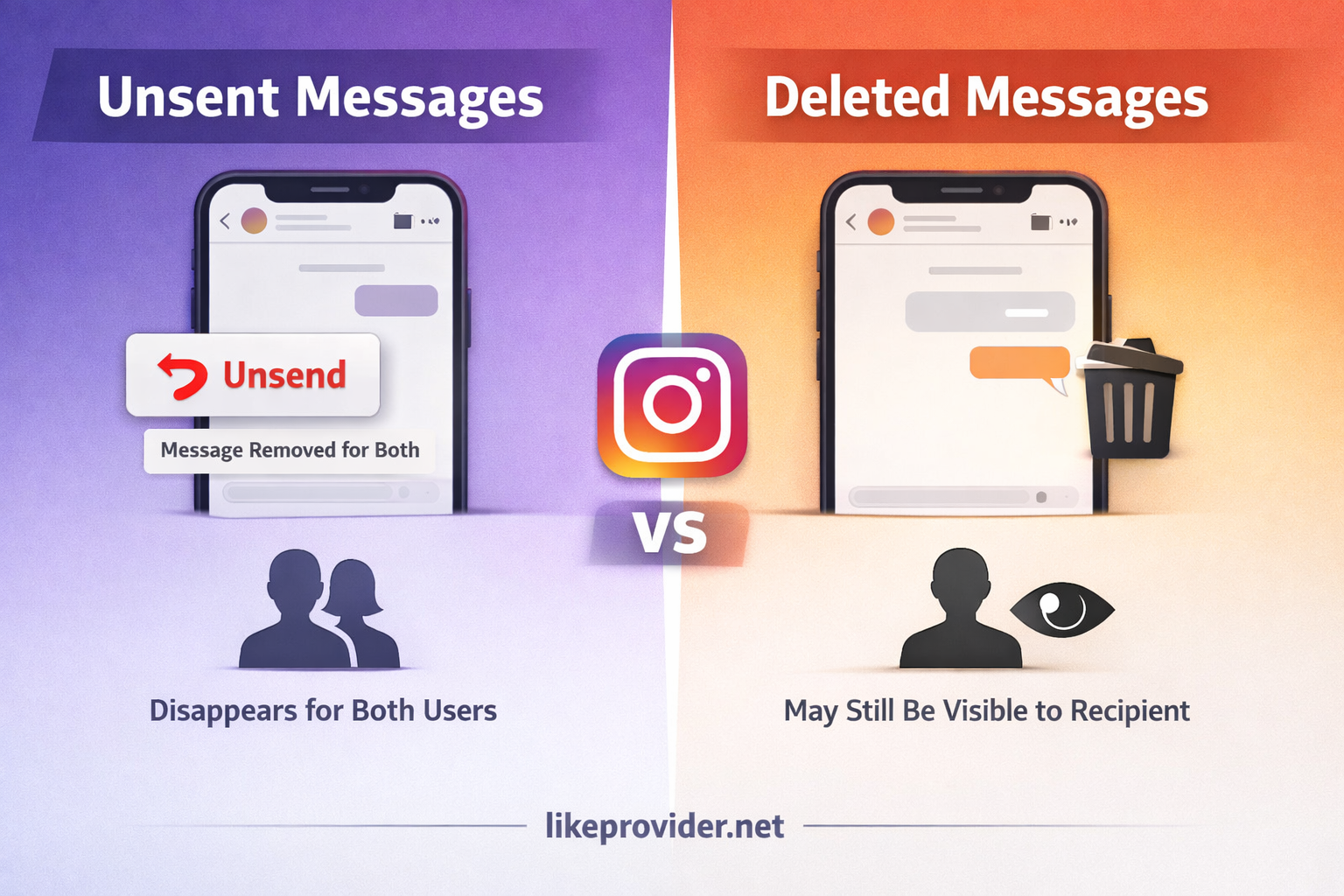
Many users confuse unsent messages with deleted messages. Unsent messages are removed using the unsend option and disappear for both users. Deleted messages, on the other hand, may still remain visible to the other person depending on how they were removed.
This distinction explains why how to see unsent messages on Instagram usually has a clear limitation once the unsend action is completed.
Can You Recover or Find Unsent Messages on Instagram?
People often search for ways to find unsent messages on Instagram, but the reality is limited. Instagram does not offer any official recovery option. In rare situations, partial message previews may appear in notification history, but this depends entirely on your device and notification settings.
Understanding how to retrieve unsent messages on instagram mostly means accepting that recovery is not supported once a message is unsent.
Checking Notifications and Device Storage
If you are trying to learn how to read unsent messages on Instagram, checking your phone’s notification history may sometimes help. Some devices temporarily store message previews before they are unsent. However, this method is inconsistent and not guaranteed to work.
Instagram itself does not allow users to reopen or restore unsent messages from within the app.
What Instagram Officially Says About Unsent Messages
Instagram does not provide a public feature for viewing or recovering unsent messages. According to its general help and privacy guidelines, messages that are unsent are removed from conversations and are no longer accessible to users.
This approach aligns with Instagram’s focus on user control and privacy.
Privacy and Security Considerations
The topic of unsent messages on Instagram also raises privacy concerns. Instagram does not clearly state how long unsent messages may remain in temporary storage or app cache. While messages may briefly exist on your device, they are not accessible through the app interface.
Using third-party apps that claim to recover messages can expose your account to security risks and should be avoided.
Common Myths About Seeing Unsent Messages
There are many misleading claims online suggesting hidden tricks or secret tools to recover unsent messages. These methods are not supported by Instagram and often rely on unsafe third-party software.
Any service claiming to show unsent messages should be treated with caution.
Common Situations Where Users Search for Unsent Messages
Users often look for how to see unsent messages on Instagram after accidentally removing a message or during important conversations. This curiosity is understandable, especially when messages contain sensitive or time-critical information.
However, Instagram’s system prioritizes privacy, making unsent messages effectively permanent removals.
Best Practices to Avoid Losing Important Messages
To avoid the need to search for how to see unsent messages on Instagram, consider reviewing messages carefully before unsending them. For important conversations, keeping notes or screenshots can help prevent accidental loss.
Being mindful while messaging reduces frustration and improves communication.
If you are interested in increasing visibility on Instagram, you can also explore free Instagram views as a way to understand how engagement impacts reach.
Frequently Asked Questions
Can someone see a message after you unsend it on Instagram?
No. Once a message is unsent, it is removed from the chat for both users.
Does Instagram store unsent messages?
Instagram does not publicly confirm long-term storage of unsent messages.
Final Thoughts on Managing Unsent Messages
Understanding how to see unsent messages on Instagram starts with knowing the platform’s limitations. Instagram does not currently allow users to recover unsent messages. The best approach is to be cautious before sending or unsending messages and to manage important conversations thoughtfully.
For more accurate information, you can review Instagram’s official help documentation to better understand how unsent messages are handled.