
How to Post Multiple Photos on Instagram (Step-by-Step Guide)
Sharing moments on Instagram becomes far more impactful when you combine multiple images into a single post. If you’re looking for how to post multiple photos on Instagram, this guide explains not only the basic steps but also the best practices that help your posts perform better. Posting several photos together allows you to tell a complete story, keep your feed clean, and increase engagement without overwhelming your audience.
Understanding Instagram’s Carousel Feature
The carousel feature is the foundation of how to post multiple photos on Instagram. It allows you to share up to ten photos or videos in a single feed post. Users can swipe horizontally to view each image, which naturally increases the time spent on your content. This swipe behavior often leads to higher engagement compared to single-image posts.
Many creators also search for how to post multiple photos on Instagram story, but carousel posts are different because they stay permanently on your profile, making them ideal for guides, product showcases, and storytelling.
Why Carousel Posts Perform Better on Instagram
Learning how to post multiple photos on Instagram feed correctly can significantly improve performance. Carousel posts encourage users to interact by swiping, which sends positive engagement signals. More interaction often means better reach, especially when users save or comment on the post.
This format is especially effective for before-and-after visuals, step-by-step explanations, or highlighting details that would be lost in a single image.
If you’re looking to increase visibility alongside carousel posts, you can also use free Instagram views to help your content reach a wider audience organically.

Preparing Images for a Strong Carousel Post
Before uploading, it’s important to plan how your photos will look together. If your goal is mastering how to post multiple photos on Instagram carousel, consistency matters. Similar lighting, color tones, and themes help the post feel intentional and professional.
Users often ask how to post multiple photos on Instagram without cropping. The best solution is to use images with the same aspect ratio or adjust them beforehand so Instagram doesn’t crop key details.
How to Post Multiple Photos on Instagram Step by Step
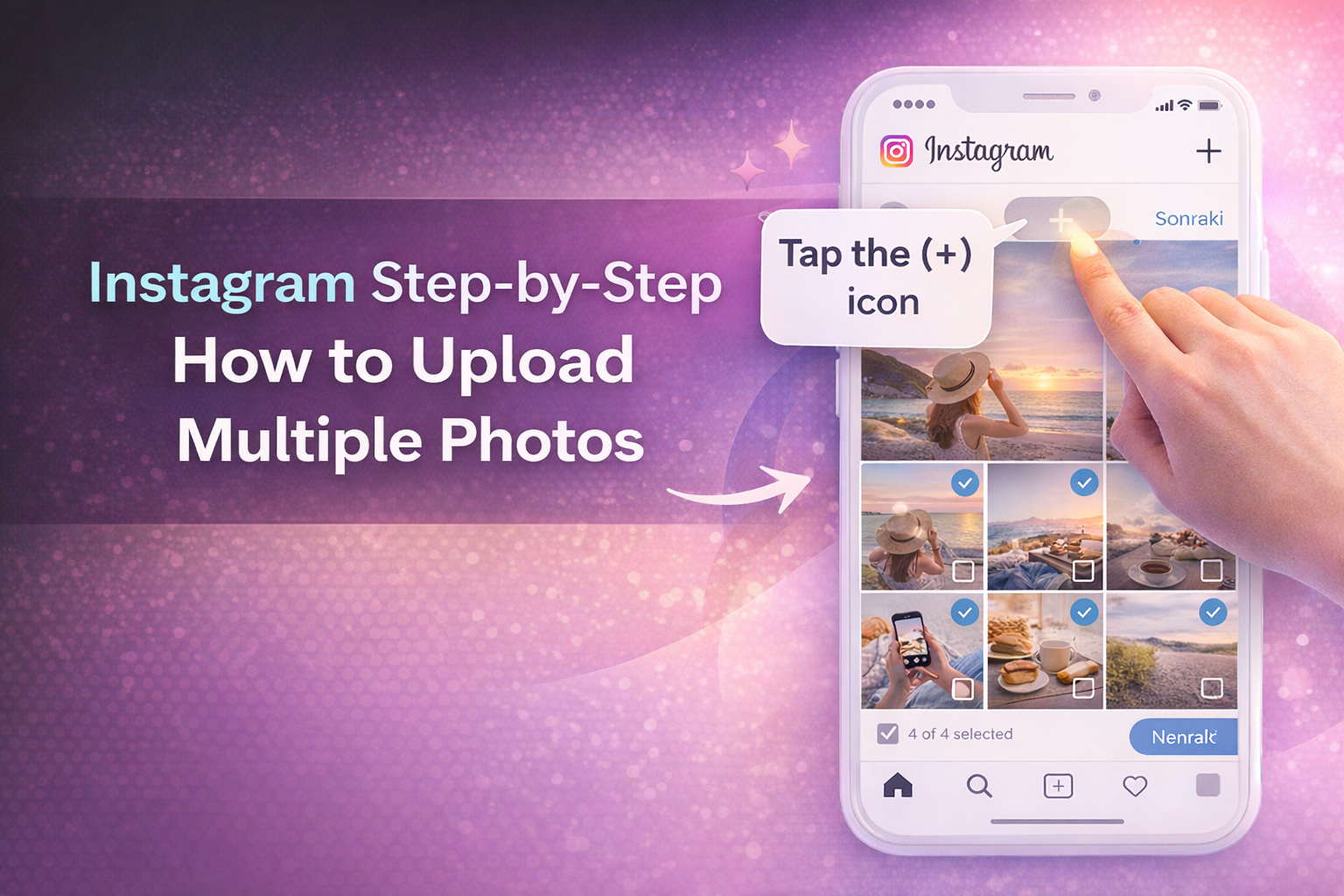
Open the Instagram app and tap the plus (+) icon to create a new post. Choose the option that allows selecting multiple images, then pick up to ten photos or videos. The order you choose determines how they appear, so arrange them carefully.
After selection, you can edit each image individually. Once you’re satisfied, add your caption and share the post. This simple process explains how to post multiple photos on Instagram at once without using any third-party tools.
Posting Multiple Photos on Mobile Devices
Most users post from their phones, so understanding how to post multiple photos on Instagram on mobile is essential. The process is the same on both iPhone and Android devices. The only difference may be minor interface changes, but the multi-select option remains the same.
Keeping your app updated ensures all carousel features work smoothly and prevents selection issues.
Common Problems When Posting Multiple Photos
Sometimes users can’t select multiple images or don’t see the carousel option. This usually happens due to outdated apps, temporary glitches, or selecting unsupported file formats. Restarting the app or updating Instagram often fixes these issues.
Understanding these problems helps you apply how to post multiple photos on Instagram without frustration.
Best Image Order and Sizes for Carousels
The first image is the most important because it determines whether users stop scrolling. Choose your strongest visual first, followed by supporting images. Square (1:1) or vertical (4:5) formats usually perform best because they take up more screen space.
A well-planned order keeps users swiping until the last image, increasing overall engagement.
Captions and Hashtags for Multi-Photo Posts
When applying how to post multiple photos on Instagram, captions should connect all images into a single idea. A clear opening line encourages users to swipe, while a short call to action can increase comments.
Use relevant hashtags naturally. Fewer, targeted hashtags often perform better than excessive tagging.
To encourage interaction on carousel posts, you can also use free Instagram comments to spark engagement and make your content more visible.

Does Posting Multiple Photos Affect the Algorithm?
Carousel posts often receive multiple chances to appear in the feed. If a user doesn’t interact the first time, Instagram may show the same post again starting from a different image. This gives your content more visibility and increases the chance of engagement.
Because of this behavior, mastering how to post multiple photos on Instagram can indirectly improve reach and consistency.
Tracking Performance and Improving Future Posts
After publishing, review likes, comments, saves, and swipe behavior using Instagram insights. These metrics help you understand what works and how to improve future carousels.
By consistently refining your approach, you can turn multi-photo posts into one of the strongest elements of your Instagram strategy.
You can find the most accurate and up-to-date instructions directly in Instagram’s official Help Center, which explains how carousel posts work and how to upload multiple photos step by step.