How to Half-Swipe on Instagram (Step-by-Step Guide)
Are you looking for a subtle way to manage your Instagram messages without fully opening them? Learning how to half-swipe on Instagram allows you to preview direct messages discreetly and stay in control of your interactions. This simple technique helps you check messages without triggering read receipts, making it especially useful for maintaining privacy while staying responsive. In this step-by-step guide, you’ll learn how to half-swipe on Instagram safely and effectively.
Understanding the Concept of Half-Swiping on Instagram
Half-swiping on Instagram is a method that lets users preview direct messages without opening the chat completely. By using this technique, you can read part of a message while avoiding the “seen” status. Understanding how to half-swipe on Instagram is helpful for anyone who wants more control over their messaging experience without interrupting conversations.
How to Half-Swipe on Instagram Step by Step
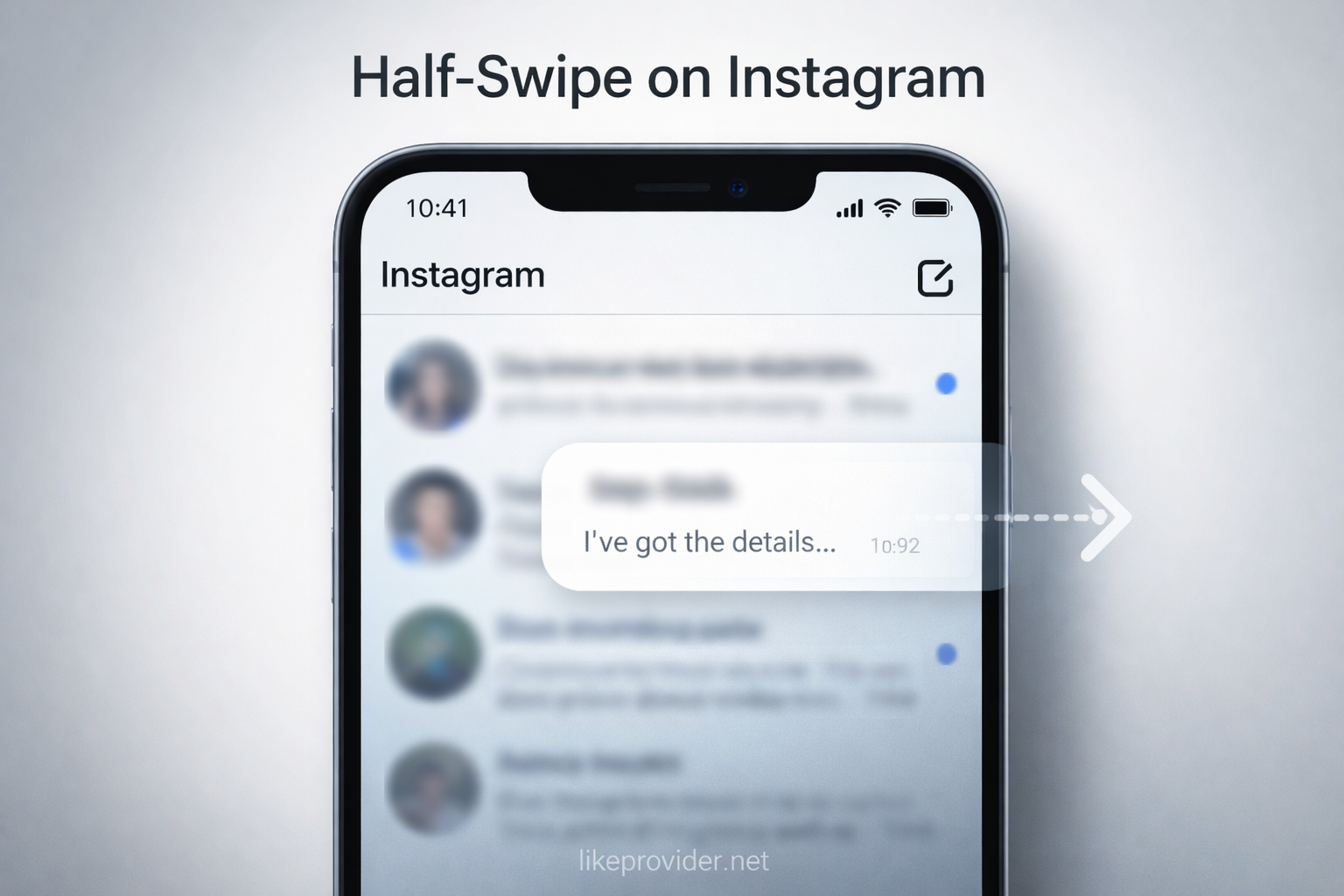
To use the half-swipe method, open your Instagram Direct Messages and locate the chat you want to preview. Gently press on the message thread and slowly swipe it slightly to the right without releasing your finger. This action allows you to preview the message content without opening the conversation. With a bit of practice, mastering how to half-swipe on Instagram becomes quick and intuitive.
Tips for Using the Half-Swipe Method Effectively
Using the half-swipe feature requires a light touch and careful timing. Swiping too fast may open the message fully, while too little movement may not show the preview. Practicing this gesture helps improve accuracy and ensures you can reliably use how to half-swipe on Instagram without mistakes.
Common Mistakes to Avoid When Half-Swiping
One common mistake is swiping too aggressively, which opens the chat and marks the message as seen. Another issue is relying on half-swiping too often instead of responding when necessary. While learning how to half-swipe on Instagram is useful, balancing discretion with communication is important for healthy interactions.
Does Half-Swiping Notify the Other Person?
No, half-swiping does not notify the sender or mark the message as read. This is why many users rely on how to half-swipe on Instagram to preview messages privately. However, updates to the Instagram app may affect how this feature works, so it’s important to stay aware of changes.
Does the Half-Swipe Method Still Work on Instagram?
The half-swipe method still works on most versions of Instagram, but its behavior may change with app updates. Instagram does not officially support this feature, so performance can vary depending on your device and app version. Understanding how to half-swipe on Instagram as a temporary preview method is helpful, but users should be aware that future updates may affect its reliability.
Half-Swipe vs Read Receipts on Instagram
Half-swiping allows users to preview messages without triggering read receipts, unlike fully opening a chat. While how to half-swipe on Instagram can help avoid the “seen” status, accidental full swipes may still mark messages as read.
When You Should Avoid Using the Half-Swipe Method
Half-swiping is useful for previewing messages, but it is not always the best choice. Important conversations, time-sensitive messages, or professional communication should be handled by opening and responding directly. Relying too much on how to half-swipe on Instagram may create misunderstandings if responses are delayed.

Is Half-Swiping Safe to Use on Instagram?
Half-swiping does not violate Instagram rules, but it is an unofficial gesture-based behavior. Using how to half-swipe on Instagram is generally safe, though Instagram may adjust how messages are displayed in future updates.
Privacy Considerations When Using Half-Swipe on Instagram
Although half-swiping can help protect your privacy, it should not replace proper privacy controls. Regularly reviewing your message and account settings ensures your Instagram experience stays secure beyond using how to half-swipe on Instagram.
If you want to grow your profile organically while testing engagement strategies, using free Instagram followers can be a simple starting point without any commitment.
Best Practices After Previewing Messages
After using the half-swipe method, responding thoughtfully helps maintain positive communication. If a message requires attention, opening the chat and replying directly is often the best approach. Using how to half-swipe on Instagram as a temporary preview tool works best when combined with clear and respectful responses.
If you manage multiple social media accounts and care about cost efficiency, using the cheapest SMM panel can help you test growth strategies without overspending.
Frequently Asked Questions About Half-Swiping on Instagram
What is half-swiping on Instagram? Half-swiping is a technique that lets you preview Instagram direct messages without opening the chat.
How do I half-swipe on Instagram? Lightly swipe a message thread to the right without releasing your finger to preview the content.
Does half-swiping send a read receipt? No, half-swiping does not mark the message as seen.
Is half-swiping available on iOS and Android? Yes, the feature works on both iOS and Android versions of Instagram.