Quick Answer: Instagram Swipe Up was the old way to add links to Stories (often for 10K+ or verified accounts); users swiped up to open the link. Instagram has replaced it with the Link Sticker: a tappable sticker anyone can add to a Story. In 2026, the Link Sticker is the option you use—it works well for traffic and engagement and is available to more accounts. Add it via the sticker menu when posting a Story. Instagram Help has the latest.
Instagram Swipe Up vs Link Sticker: Key Differences & Which Is Better (2026)
Learn the differences, advantages, and which option works best for traffic and engagement
Compare Instagram Swipe Up and the Link Sticker in 2026. This guide covers what changed, key differences, which is better for traffic, and how to add a link to your Story. Updated for 2026. Story dimensions · Reel length.
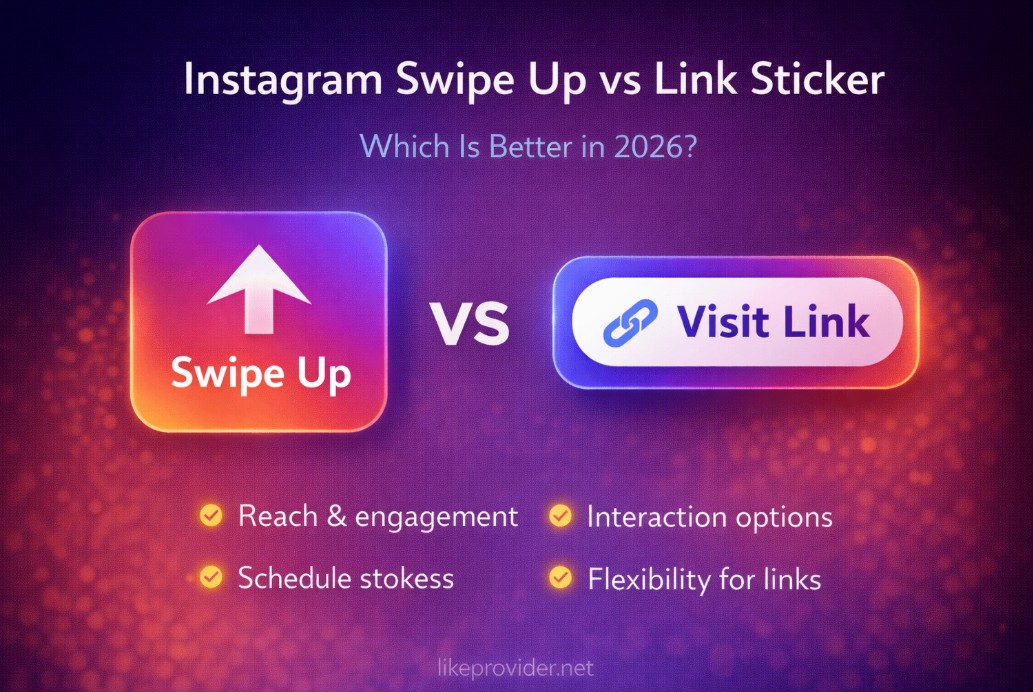
What You'll Find on This Page
If you're searching for instagram swipe up vs link sticker, instagram story link 2026, or which is better for traffic, this guide has you covered. You'll find:
- What was Swipe Up – How it worked and why it was replaced.
- What is the Link Sticker – How it works and who can use it.
- Key differences – Availability, UX (swipe vs tap), and placement.
- Which is better in 2026 – The Link Sticker is the current option; tips for traffic and engagement.
- How to add the Link Sticker – Steps to add a link to your Story. Plus Story dimensions and Reel length.
What Was Instagram Swipe Up?
Instagram Swipe Up was a link feature in Stories: a bar or hint at the bottom of the Story invited users to swipe up to open a link. It was typically available to accounts with 10,000+ followers or verified accounts. Swipe Up was useful for driving traffic to blogs, products, or landing pages directly from Stories.
Instagram has phased out Swipe Up for most users and replaced it with the Link Sticker. If you had Swipe Up before, you were migrated to the Link Sticker. New accounts use the Link Sticker to add links to Stories.
What Is the Instagram Link Sticker?
The Link Sticker is the current way to add a link to your Instagram Story. It's a tappable sticker you place on your Story; viewers tap it to open the URL. You add it when creating a Story: tap the sticker icon, choose Link, enter your URL, then position the sticker and share.
Instagram has expanded who can use it—many accounts can add the Link Sticker even without 10K followers. That makes it better for traffic and engagement for more creators. The sticker is visible on the Story, so you can place it where it fits your design and add a short CTA (e.g. "Tap for link") in the Story.
Key Differences: Swipe Up vs Link Sticker
Availability: Swipe Up was limited (often 10K+ or verified). The Link Sticker is available to more accounts, including many with fewer followers.
Interaction: Swipe Up required a swipe gesture from the bottom. The Link Sticker is tapped—clearer for viewers and works well on all devices.
Placement: Swipe Up was a fixed bottom cue. The Link Sticker can be moved and resized anywhere on the Story, so you control where it appears.
Status: Swipe Up has been removed for most users. The Link Sticker is the current and supported way to add links to Stories in 2026.
Which Is Better in 2026?
In 2026, the Link Sticker is the option you have—and it's the better one for most use cases. It's available to more accounts, so more creators can drive traffic from Stories. Viewers tap the sticker to open the link, which is intuitive. You can place it where it fits your Story and pair it with a clear CTA.
For traffic and engagement, use the Link Sticker: add it to Stories that promote your link (e.g. new post, product, sign-up). Keep the sticker visible and add text or a verbal CTA so viewers know to tap. For format specs, see Instagram Story dimensions and Reel length.
How to Add the Link Sticker to Your Story (2026)
Follow these steps to add a link to your Instagram Story using the Link Sticker:
- Open Instagram and create a new Story (photo or video) or choose from your gallery.
- Tap the sticker icon (smiley or square) on the top or in the toolbar.
- Select Link from the sticker options. Enter the URL you want to share (e.g. your blog, product page, or landing page).
- Place the Link Sticker on your Story. You can move and resize it. Keep it visible so viewers know they can tap it.
- Share your Story. Viewers will see the sticker and can tap it to open the link.
If you don't see the Link option, your account may not have access yet—Instagram rolls it out by region and account type. Check for app updates and Instagram Help for current eligibility.
FAQ: Instagram Swipe Up vs Link Sticker
What is the difference between Instagram Swipe Up and Link Sticker?
Swipe Up was a link feature in Instagram Stories for accounts with 10K+ followers or verified accounts; users swiped up to open the link. Instagram has removed Swipe Up for most users and replaced it with the Link Sticker: a tappable sticker you add to any Story. The Link Sticker is available to more accounts and works by tapping rather than swiping.
Is Instagram Swipe Up still available in 2026?
Instagram has phased out Swipe Up for most users. In 2026, the standard way to add links to Stories is the Link Sticker. Use the Link Sticker to add links to your Stories instead.
Which is better for traffic: Swipe Up or Link Sticker?
For 2026, the Link Sticker is the option you have—and it works well for traffic. Viewers tap the sticker to open your link. The Link Sticker is available to more accounts than Swipe Up was, so more creators can drive traffic from Stories. Place it clearly and pair it with a clear CTA.
How do I add a link to my Instagram Story in 2026?
Create a Story, tap the sticker icon, choose Link, enter your URL, then place the Link Sticker on the Story and share. Viewers tap the sticker to open the link. No Swipe Up needed.
Who can use the Instagram Link Sticker?
Instagram has expanded Link Sticker availability. Many accounts can use it regardless of follower count; exact eligibility can vary by region and account type. If you see the Link option in the sticker menu when posting a Story, you can use it.
Why did Instagram replace Swipe Up with Link Sticker?
Instagram replaced Swipe Up with the Link Sticker to give more accounts the ability to share links in Stories (not only 10K+ or verified), and to make the link more visible and tappable as a sticker. The change also aligns with how Instagram designs other interactive stickers.
Can I customize the Instagram Link Sticker?
You can move and resize the Link Sticker on your Story. The sticker's appearance (e.g. "See link") is set by Instagram. You choose the URL and where to place it; keep the sticker visible so viewers know they can tap it.
Does the Link Sticker work for business and creator accounts?
Yes. The Link Sticker is available to many business, creator, and personal accounts. If your account has access to the Link sticker in the Story sticker menu, you can use it to drive traffic to your website, product, or other content.