Updated for 2026 · Reviewed by LikeProvider Social Media Team
Quick Answer: Instagram Close Friends is a private list you choose. When you post a Story to Close Friends only, only people on that list see it—your other followers do not. No one is notified when you add or remove them from the list. The instagram green circle around a profile in the Story bar means that person posted a Story to Close Friends only; if you see it, you are on their list. For more Instagram features, see our Instagram Archive vs Delete, Instagram Mute vs Unfollow, and Instagram Story dimensions.
- Add people: Profile → Menu (☰) → Close Friends → tap Add next to each person. They are not notified.
- Post to Close Friends only: Create a Story, then tap the green Close Friends badge (or Audience) and turn on Share to Close Friends only. Only your list sees it.
- Who can see: Only the people on your Close Friends list see those stories. Your list is private—no one can see who is on it. For captions and timing, use our Instagram caption generator and best time to post on Instagram.
Instagram Close Friends – Who Can See It, Privacy Rules & Hidden Facts (2026)
Does Instagram notify when you add someone? Can someone see your list? Green circle meaning. Who can see it, privacy rules & hidden facts.
Learn what Instagram Close Friends is, how the close friends list works, who can see your close friends stories, and how to use it for private stories in 2026. This guide covers the instagram close friends feature, instagram close friends privacy, and the instagram green circle. Pair with our Instagram Story dimensions, Instagram Reel dimensions, Instagram Archive vs Delete, and Instagram Mute vs Unfollow.
What You'll Find on This Page
If you search for instagram close friends, instagram close friends list, who can see close friends instagram, or how to use instagram close friends, this 2026 guide has you covered. You will find:
- What Instagram Close Friends is – A private list for sharing Stories with only selected people.
- How the close friends list works – You choose who is on it; only they see Close Friends–only stories.
- Who can see your close friends stories – Only people on your list; your list itself is private.
- What the instagram green circle means – Someone posted a Story to Close Friends only; if you see the green ring, you are on their list.
- How to add or remove people – Step-by-step for 2026. No one is notified.
- How to post a Story to Close Friends only – Use the green Close Friends option when posting.
- Close friends privacy tips – How to keep your list and audience under control.
- FAQ – Quick answers. For more Instagram tools, see our Instagram Highlight names, Instagram Reels caption generator, and Instagram Collab Post.
What Is Instagram Close Friends?
Instagram Close Friends is a feature that lets you create a private list of people who can see certain Stories you choose. When you post a Story and select Share to Close Friends only, only the people on that list see it. Your other followers do not see that story. The instagram close friends list is yours alone—no one can see who is on it, and Instagram does not notify anyone when you add or remove them. It is ideal for sharing more personal or casual content with a smaller group while keeping your main feed and regular Stories for everyone. For public-facing content, pair with our Instagram caption generator, Instagram Reel length, and best time to post on Instagram.
How the Close Friends List Works
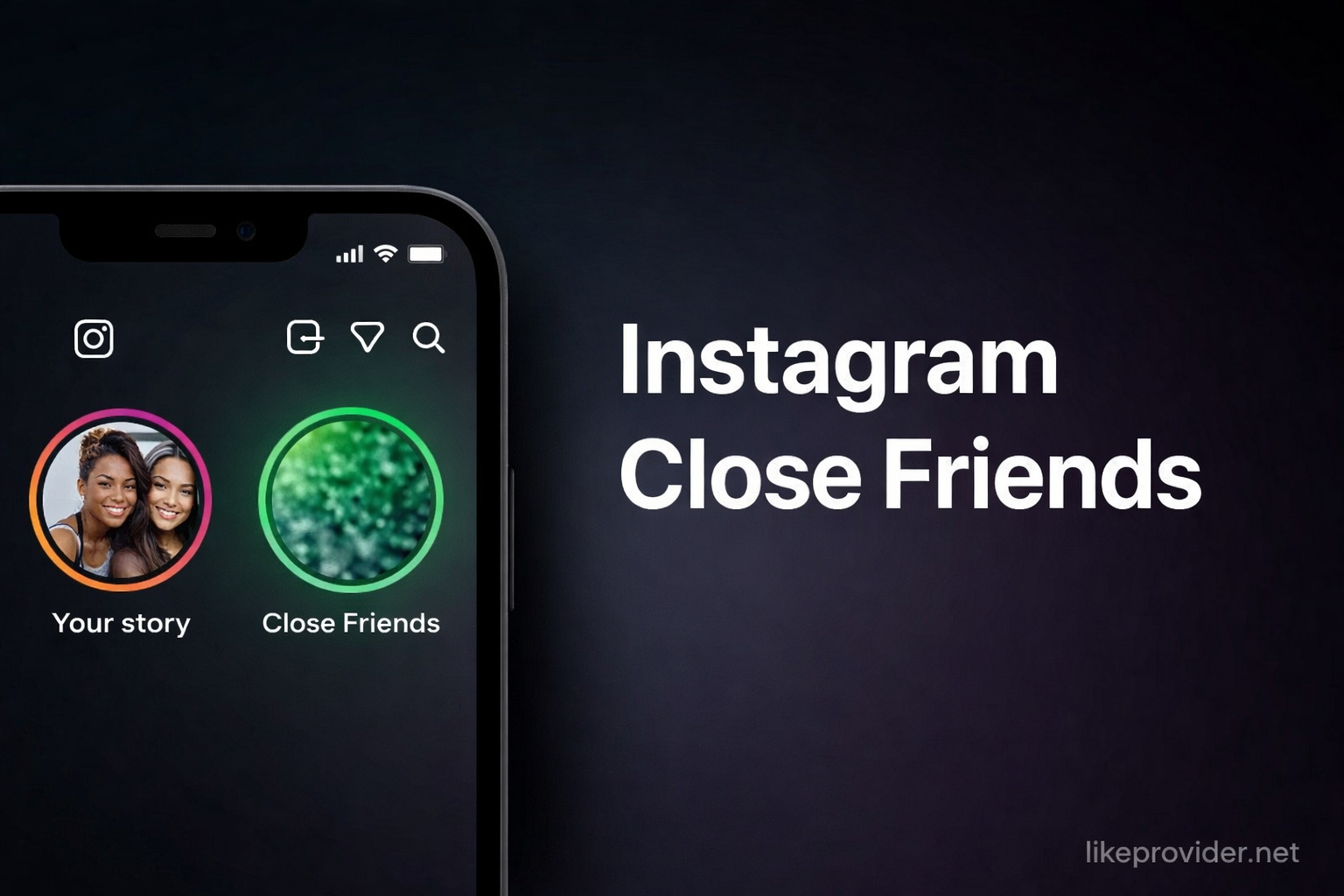
The close friends instagram list works like this: you open your profile, go to Menu → Close Friends, and add or remove people. There is no limit on how many people you can add. When you create a Story, you choose whether it goes to all your followers (normal Story) or only to Close Friends. If you choose Close Friends only, only the people on your list see it. They see a green ring around your profile picture in the Story bar, which is the instagram green circle that indicates a Close Friends story. You can change your list anytime; people are not notified when you add or remove them. For other Instagram options that affect who sees your content, see our Instagram Archive vs Delete and Instagram Mute vs Unfollow.
Who Can See Close Friends Stories on Instagram?
Who can see close friends instagram stories? Only the people you have added to your Close Friends list. Your other followers, and anyone not on the list, cannot see Stories you post to Close Friends only. Your list is private: no one can see who is on your Close Friends list, and Instagram does not tell users when they are added or removed. So instagram close friends privacy is strong—you control both the list and who sees each Close Friends story. If someone is on your list and you post a Story to Close Friends only, they will see it in their Story bar with a green ring around your profile picture. For more on who sees your content, see our Instagram Story viewer and Instagram viewer.
Can Someone See Your Close Friends List on Instagram?
No. Instagram does not notify users or show your Close Friends list to anyone.
Instagram does not notify users when you add or remove them from your Close Friends list. They cannot see your list. They can only tell they might be on it if you post a story to Close Friends only and they see it (they see a green ring around your profile in the story bar). Your Close Friends list is private—only you see who is on it. For related controls, see our Instagram Archive vs Delete, Instagram Story dimensions, and Instagram Mute vs Unfollow.
What Is the Instagram Green Circle?
The instagram green circle (or green ring) around a profile picture in the Instagram Story bar means that person has posted a Story to Close Friends only. If you see the green circle next to someone’s profile, you are on their Close Friends list and you can view that story. If you do not see the green circle for someone, either you are not on their Close Friends list or they did not post that story to Close Friends. The green circle is the visual cue that distinguishes Close Friends stories from regular stories (which use the usual gradient ring). So when people ask “what is the green circle on Instagram,” the answer is: it marks a Close Friends–only story, and seeing it means you are in that person’s close friends list. For Story specs and formatting, see our Instagram Story dimensions and Instagram post size.
How to Add People to Close Friends on Instagram (2026)
How to use instagram close friends by adding people: Open the Instagram app and go to your profile. Tap the Menu (hamburger) icon in the top right, then tap Close Friends. You will see a list of suggested people and your current list. Tap Add next to anyone you want to add. They are not notified when you add them. You can add as many people as you like. Only people who follow you can be added; if someone does not follow you, they may not appear or you may need to search for them. Once added, they will see your Close Friends–only stories (with the green ring) whenever you post to that audience. For more Instagram how-tos, see our how to repost on Instagram and Instagram Collab Post.
How to Remove Someone from Close Friends on Instagram
To remove someone from your Close Friends list: Go to your profile → Menu → Close Friends. Find the person and tap Remove. They are not notified. They will simply stop seeing your Close Friends–only stories; past Close Friends stories they could already see will remain visible to them for the usual 24 hours, but new ones you post after removing them will not appear. You can add them back anytime. This keeps instagram close friends privacy under your control. For related privacy and audience controls, see our Instagram Mute vs Unfollow and Instagram Archive vs Delete.
How to Post a Story to Close Friends Only on Instagram (2026)
To post a Story to Close Friends only: Create a new Story (tap + or your profile picture in the Story bar). Take or upload a photo or video. Before or after adding text or stickers, tap the green Close Friends badge or the Audience option and turn on Share to Close Friends only. Then post. Only people on your Close Friends list will see this story; they will see the green circle around your profile. You can mix: some stories to everyone and some to Close Friends only. For Story ideas and captions, use our Instagram captions, Instagram Reels caption generator, and WhatsApp status caption.
Close Friends Privacy Tips (2026)
Instagram close friends privacy tips: Your list is private—no one can see who is on it. Instagram does not notify when you add or remove people. Only add people you trust to see more personal stories. You can remove someone anytime if you change your mind. Remember that people on your list can still screenshot or share what you post; Close Friends only limits who sees it in the app, it does not prevent copying. Use Close Friends for casual or personal updates and keep your main feed and regular Stories for broader content. For more reach and engagement tools, see our how many hashtags on Instagram, Instagram Reel dimensions, and Linktree alternative.
Close Friends vs Regular Story on Instagram
Close friends instagram vs regular Story: A regular Story is visible to all your followers (or everyone if your account is public). A Close Friends Story is visible only to the people on your Close Friends list. You choose per story whether it goes to everyone or to Close Friends only. Close Friends stories show a green ring around your profile in the Story bar for people on your list; regular stories use the usual gradient ring. So the instagram close friends feature gives you a second, private audience for Stories without changing who sees your main feed or Reels. For feed and Reel specs, see our Instagram post size, Instagram Reel dimensions, and Instagram following limit.
Quick Reference: Instagram Close Friends (2026)
Use this table for instagram close friends list and privacy at a glance:
| Topic | Details |
|---|---|
| Who sees Close Friends stories? | Only people on your list |
| Can anyone see your list? | No – list is private |
| Are people notified when added/removed? | No |
| What is the green circle? | Close Friends–only story; if you see it, you’re on their list |
| Where to manage list? | Profile → Menu → Close Friends |
| What can you share to Close Friends? | Stories only (not feed posts or Reels) |
This is the complete close friends instagram quick reference for 2026. For more tools, see our Instagram Highlight names, Instagram poll questions, and Instagram profile URL finder.
FAQ: Instagram Close Friends
What is Instagram Close Friends?
Instagram Close Friends is a feature that lets you create a private list of people who can see certain Stories you choose. When you post a Story to Close Friends only, only people on that list see it. Your main followers do not see it. People on your list are not notified when you add them.
Who can see my Close Friends stories on Instagram?
Only people on your list. Only the people you have added to your Close Friends list can see Stories you share to Close Friends only. Your other followers cannot see those stories. People on your list see a green ring around your profile picture when you post a close friends story.
Can someone see if they are on my Close Friends list?
No. Instagram does not notify users when you add or remove them from your Close Friends list. They cannot see your list. They can only tell they might be on it if you post a story to Close Friends only and they see it (they see a green ring around your profile in the story bar).
What is the green circle on Instagram?
It means a Close Friends–only story. The green circle (or green ring) around a profile picture in the Instagram Story bar means that person has posted a Story to Close Friends only. If you see the green circle, you are on their Close Friends list and can see that story. If you do not see it, you are not on their list or they did not post to close friends.
How do I add someone to Close Friends on Instagram?
Go to your profile, tap the Menu (hamburger) icon, then tap Close Friends. Tap Add next to the person you want to add. They are not notified. You can remove people anytime from the same screen.
How do I post a Story to Close Friends only on Instagram?
When creating a Story, before or after adding content, tap the green Close Friends badge or Audience and select Share to Close Friends only. Only people on your close friends list will see that story. They will see a green ring around your profile picture.
Is Instagram Close Friends private?
Yes. Your Close Friends list is private—no one can see who is on it. Only you see the list. When you post a story to Close Friends only, only those people see it. Instagram does not notify anyone when you add or remove them from the list.
Can I remove someone from Close Friends on Instagram?
Yes. Go to your profile, tap Menu, then Close Friends. Tap Remove next to the person you want to remove. They are not notified. They will simply stop seeing your Close Friends–only stories.
What is the difference between Close Friends and regular Story on Instagram?
Who sees it. A regular Story is visible to all your followers (or everyone if your account is public). A Close Friends Story is visible only to the people you have added to your Close Friends list. Close Friends gives you a private audience for selected stories.